
领导信箱搜索在其他页面调用
领导信箱搜索框放在首页调用,效果图如图:
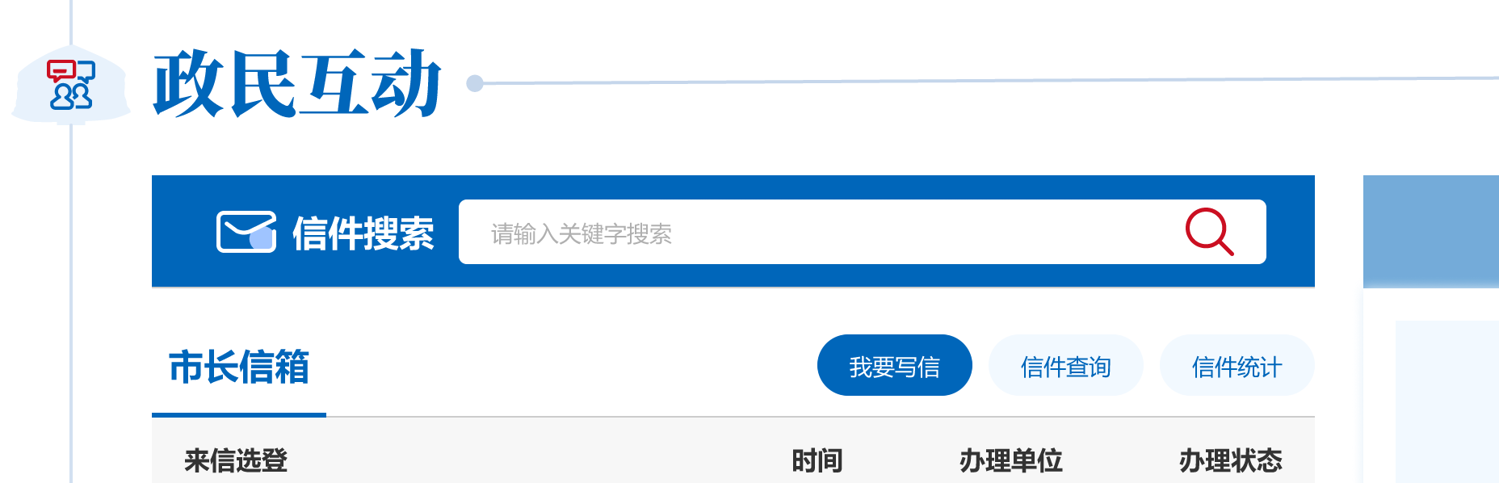
使用系统【信箱信件搜索.cshtml】标签改造。
@inject PetitionDepartmentService PetitionDepartmentService
@Power.VisualizationPartialView(new
{
    Description = "信箱信件搜索",
    Parameters = new
    {
        keyword = new { DisplayName = "搜索热词", Type = "String", DefaultValue = "", ControlType = "Text" },
        PetitionLetterBox = new { DisplayName = "信箱实体", Type = "Unknown" },
        DepartmentId = new { DisplayName = "部门ID", Type = "Int32", ControlType = "Integer", DefaultValue = 0 }
    }
})
@{
    int departmentId = Param.DepartmentId ?? 0;
    string keyword = Param.Keyword != null ? Param.Keyword.ToString() : "";
    var petitionLetterBox = Param.PetitionLetterBox as PetitionLetterBox;
    var petitionDepartmentService = PetitionDepartmentService;
    var petitionLetterBoxName = petitionLetterBox?.PetitionLetterBoxName;
}

<div class="search-mail" aria-altdes="交互区" aria-des="领导信箱搜索框">
    <div class="hd">信件搜索</div>
    <div class="bd">
        <input type="hidden" id="SearchUrl" value="@Url.Action("list", "home", new { area = "Petition" })" />

        <select class="department" style="display: none;">
            <option selected="selected" value="0">全部部门</option>
            @if (petitionLetterBox != null)
            {
                var petitionDepartments = petitionLetterBox.CirculationRange != CirculationRange.CurrentSite ? petitionDepartmentService.GetAll() : petitionDepartmentService.GetMany(x => x.SiteId == petitionLetterBox.SiteId);
                petitionDepartments = petitionDepartments?.Where(x => x.Depth == 1);
                foreach (var petitionDepartment in petitionDepartments)
                {
                    <option selected="@(departmentId == petitionDepartment.DepartmentId ? "selected" : null)" value="@petitionDepartment.DepartmentId">@petitionDepartment.DepartmentName</option>
                }
            }
        </select>
        <input class="keyword" type="text" name="keyword" value="@keyword" placeholder="请输入关键字" autocomplete="off" />
        <input class="searchsubmit" type="submit" value="" />
    </div>
</div>

 <script>
    $(function () {
        if (".search-mail @keyword" != "") {
            var obj = $(".search-mail .petitioncontent");
            $.each(obj,
                function (i, v) {
                    var keyword = $(this)[0].innerHTML.replace("@keyword",
                        "<span style='color:red;'>@keyword</span>");
                    $(this).html(keyword);
                });
        }

        $(".search-mail .searchsubmit")
            .on("click",
                function () {
                    var url = $(".search-mail #SearchUrl").val();
                    var keyword = $(".search-mail .keyword").val();
                    var departmentId = $(".search-mail .department").val();
                    window.location =
                        url +
                        '?keyword=' +
                        keyword +
                        '&departmentId=' +
                        departmentId;
                });

        $(".search-mail .department")
            .on("change",
                function () {
                    var url = $(".search-mail #SearchUrl").val();
                    var keyword = $(".search-mail .keyword").val();
                    var departmentId = $(".search-mail .department").val();
                    window.location =
                        url +
                        '?keyword=' +
                        keyword +
                        '&departmentId=' +
                        departmentId;
                });
    })
</script>
前台调用:
@Power.Partial("首页领导信箱搜索",new { keyword = "" })